Controlling blood glucose is, in practice, about controlling a routine: measuring at the right times, noting what happened before and after, taking medication, and bringing all this information to the appointment. The difficult part is almost never understanding the concept—it's maintaining consistency. And that's exactly where a free app really helps.
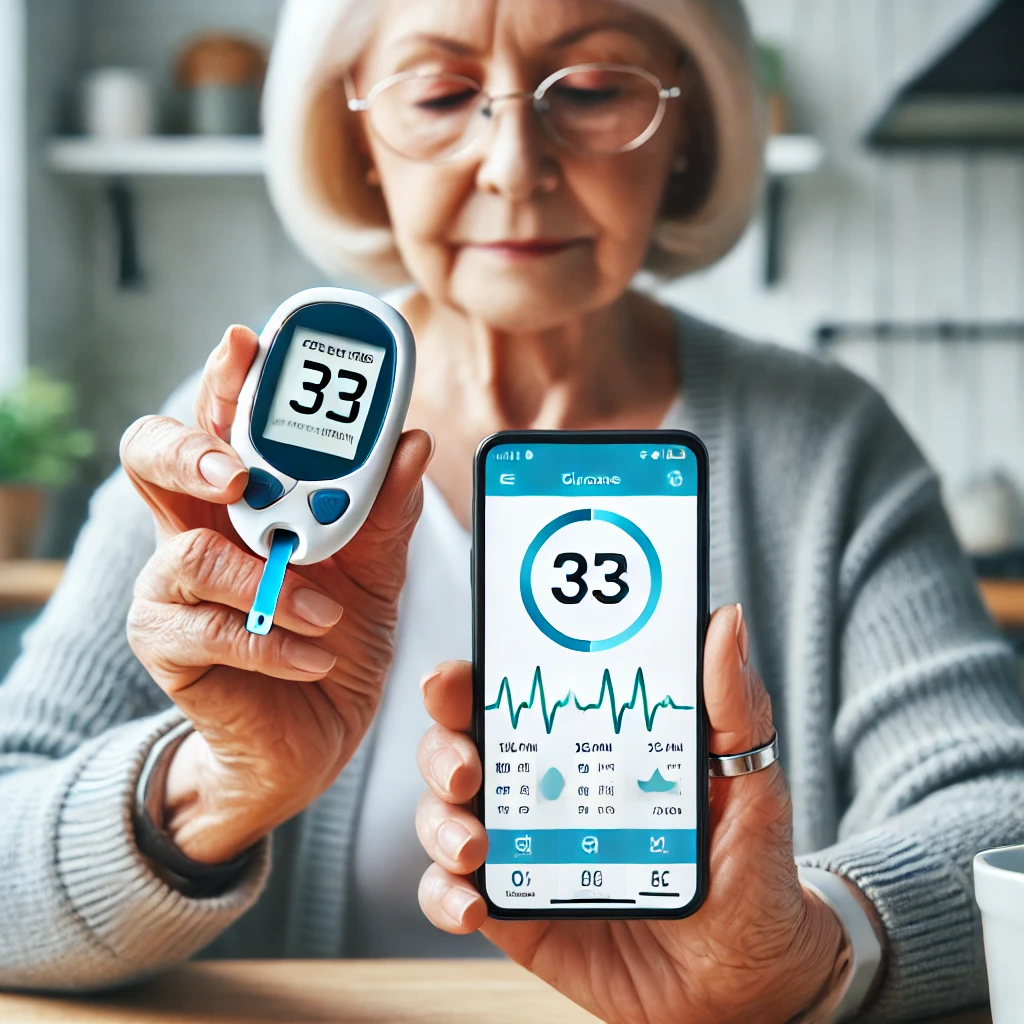
First, a correction that needs to be made soon: The app doesn't measure glucose levels; it monitors their recording.. The measurement continues to come from a glucometer with a test strip or a continuous monitoring sensor. It's a difference of just one sentence, but it's what separates a useful tool from an impossible promise.
In this article I show what to look for in a blood glucose monitoring app, and which features truly change your daily life. who has diabetes Type 1 or Type 2, and what usage errors cause the entire history to lose value when consulted?.
Why registering changes the outcome.
A single blood glucose reading is a snapshot. What guides treatment is the movie: the sequence of values over weeks, associated with time of day, meal, dosage, and physical activity. Without a record, the consultation becomes an attempt to reconstruct from memory what happened in two months—and memory, in this case, is systematically optimistic.
With documentation, things become apparent that no one notices in everyday life: the fall that only happens in the early morning, the upsurge that always comes after a certain dinner, the difference between the days you walk and the days you don't. Each of these patterns is an adjustment lever that the doctor can use.
The features that make a difference
1. Entry in just a few taps
You'll be logging in multiple times a day, every day. If the app requires you to navigate through three screens, choose a category, and confirm twice, you'll stop at the first week. Date and time should be filled in automatically, and marking "fasting," "before," or "after meal" should be a one-tap process. That's the number one criterion.
2. Record of what accompanies the number
Meal carbohydrate, insulin dose, pill, exercise, symptom. It's the context that gives meaning to the value. An app that only stores the isolated number delivers half of what it could.
3. Graphs by time of day
Morning, afternoon, evening, and night separated, with the average of each time slot. This visualization answers the questions the endocrinologist asks.
4. Configurable reminders
Schedule for measuring, schedule for applying, sensor replacement, prescription pickup. Planning once and forgetting about it is what sustains the routine during the bad months.
5. Report Export
PDF for printing or emailing; CSV for those who want to open it in a spreadsheet. If you can't export, your data is locked inside the app—and the day you change phones, it all disappears.
6. Connecting to the device
Glucometers with Bluetooth and continuous sensors send the reading directly. This eliminates typing errors and, more importantly, eliminates effort—the recording happens automatically.
7. Operation without internet
The measurement happens wherever you are. The app needs to record your location and sync it later, if you want to sync it.
How to identify an app that promises the impossible.
- It says it measures blood glucose. through the camera, the flash, or the digital camera. There is no physical basis for that.
- It promises results. “"without pricking your finger and without a sensor"”. If it were possible, it would be front-page news worldwide.
- A paid app is used to "release the measurement." The paid version of a logging app releases reports and backups, but never a sensor that doesn't exist.
- It doesn't explain where it stores your health data, nor does it allow you to delete it.
- It is not available in official app stores and is distributed via APK.
Usage errors that ruin the history.
- Record only the good values. The doctor decides based on what he sees; a doctor's history is often misdiagnosed; a medical history leads to an incorrect assessment.
- Pricking your finger with a dirty hand. Sugar or fruit residue on the skin increases readability. Wash and dry before use.
- Using expired tape or tape stored in a warm place. The reagent degrades and the number comes out wrong without warning.
- Do not note the context. “"180" without knowing if it was on an empty stomach or after the pizza is almost useless information.
- Changing the dose on your own. The report is input for the consultation. The prescription is the doctor's responsibility.
Type 1 and Type 2: What changes in the registry?
Who has type 1 diabetes Typically, this individual measures their blood sugar more frequently throughout the day and needs to record the dose of rapid-acting insulin along with the carbohydrate count for each meal. For this profile, the crucial tool is a dose calculator aligned with the prescribed regimen and the ability to track hypoglycemia, because a pattern of repeated drops in blood sugar is what requires the most urgent adjustment.
Who has type 2 diabetes Generally, blood glucose levels are measured less frequently, and the value of the record lies elsewhere: in the correlation between blood glucose, weight, physical activity, and diet over several weeks. Here, the monthly graph and the observation field are worth more than any calculator. It's also worth recording blood pressure and weight in the same app, because in type 2 diabetes these numbers tend to move together.
In both cases, those caring for another person—parents of children with diabetes, children accompanying elderly individuals—should look for apps that allow them to... more than one profile and sharing the report. Having the data in one place avoids the confusion of notes scattered between school, home, and the doctor's office.
Alternatives to the app
- Paper notebook. It's been working for decades and doesn't depend on a battery. It may lack graphics, but it wins in simplicity.
- Spreadsheet on your own cell phone. For those already proficient, it allows you to create exactly the report your doctor prefers.
- The glucometer's own memory. Almost all of them keep hundreds of measurements with date and time stamps; some print or export them.
- Follow-up at the primary health care unit. Consultations, diabetes education, and, for those who use insulin, access to supplies through public programs — rules vary by municipality, it's worth asking.
Health data is a special category under Brazilian law.
The General Data Protection Law treats health information as sensitive personal data, This is a category with stricter protection than that of name and address. This has practical consequences for those who install a blood glucose monitoring app: the service must state why it collects data, processing depends on your consent, and you have the right to know what information exists about you, to correct it, and to request its deletion.
The privacy policy is boring to read, but you can target only what matters. Use the page's own search function and look for these five points:
- Sharing with third parties. Look for "third parties," "partners," and "advertising." The question to answer is: are my blood glucose levels being sent from here to someone who wants to sell me something?
- Purpose. A registration app collects data for registration purposes. If the stated purpose includes "improving offers" or "personalizing ads," then health data is funding advertising.
- Where is the data stored and for how long?. Own server or contracted cloud, and retention period after you close the account.
- How to exercise your rights. The law requires a channel. If there is no email or form to request removal, that is the clearest sign there is.
- What happens if the company is sold?. Almost every policy has a clause stating that the database accompanies the company in an acquisition. It's worth reading what yours includes.
A ten-minute practical test before fully adopting the app: create an account, register two fake values, look for the export option and then the option to delete the account. If both exist and work, the rest of the policy tends to be taken seriously. If the delete button has disappeared, you already know enough.
What does the public service offer beyond the basic resources?
Many people associate the Brazilian public healthcare system (SUS) only with the provision of test strips and glucometers, and that's where it ends. The follow-up care itself is usually the most valuable part, and it's the least sought after.
- Consultation in primary care with a team. The neighborhood health unit is the entry point, and the care provided isn't just medical: nursing, nutrition, and pharmacy services are all part of the overall care, depending on what's available in each municipality.
- Diabetes education groups. Sessions led by professionals, where you learn how to use the device, count carbohydrates, and manage your routine. It's where many questions you might ask an app are answered by qualified professionals.
- Follow-up tests ordered by the team. There are routine checkups for people living with diabetes, with the frequency determined by their healthcare provider. Leaving home with the prescription is the way to go—not with an app screen.
- Foot assessment and referral to other specialists. It's part of routine monitoring, and no app can replace this examination, which is done in person by a professional.
- Medications. In addition to what is dispensed at the unit itself, there is a federal program that distributes medications for diabetes and hypertension through accredited pharmacies. The list of items and the rules change over time, so the current information is available at the accredited pharmacy or your health unit.
Where does the app fit into all of this? It's what you take to each of these appointments. A two-month report transforms a routine consultation into one with material to make decisions.
When the person registering the death is not the patient.
In this country, a large portion of blood glucose readings are done by someone else: a son accompanying his elderly mother, the father of a child with type 1 diabetes, a hired caregiver, or the school during school hours. This is a different situation from that of an adult recording their own reading, and some choices change.
- Choose an app with more than one profile or with account sharing. Each person is cared for with their own separate history, and the caregiver sees all of them. Mixing two patients into a single profile corrupts both graphs.
- Coordinate who writes down what. If the school writes it down in a notebook and the mother writes it down in the app, at the end of the month there are two incomplete truths. One person consolidates — and the agreement needs to be explicit.
- Record who took the measurements. An observation field with "measured by the caregiver" resolves future doubts about technique and timing.
- Be careful with shared accounts. Using the same login on multiple phones gives full access to anyone who has the password, even after the person stops taking care of it. Sharing via invitation, which can be revoked, is much better than simply passing the password around.
- A lucid elderly person makes decisions about their own data. Monitoring doesn't mean taking care of things haphazardly: explaining what's being recorded and who's watching usually gets more support than doing it secretly.
- Leave a copy outside the app. If the caregiver's phone breaks, the whole family loses the history. A PDF sent via email once a month solves the problem.
More questions about recording blood glucose levels on your cell phone
If I don't use insulin, is it worth registering?
It's worth it, but with a different purpose. Those who don't use insulin tend to measure less often, and therefore each measurement is more important: the value is there to show trends over weeks, along with weight, activity, and diet. It's the series of measurements that matters, not the number on any given day.
Do I need to pay to export the report?
In many apps, exporting is a feature reserved for the paid version. Before subscribing, check if the free version exports at least to CSV — many export, discreetly, in the settings menu.
Can I send the report to the doctor via WhatsApp?
Only if he already uses that channel and agrees to it. It's important to remember that the file contains your sensitive data and that it's stored in the conversation, in backups, and on any phone where that account is active.
What is the difference between a manufacturer's app and a standalone app?
The manufacturer's backup usually syncs better with the brand's device and is free; the independent backup accepts any data source and doesn't lock you into a specific product. Many people use both, with the independent backup as their primary history log.
Can the app replace prescriptions and staff guidance?
No, absolutely not. He organizes what happened so that the team can make a better decision. Calculators, colored tape, and alerts are support tools for what has already been prescribed—never a second opinion.
Read also
- Free Blood Glucose Monitoring Apps: Logging, Graphs, and Medical Reports
- Pregnancy Apps: Cycle Tracker and Symptom-Based Simulated Test
- Mobile Glucose Apps: Recording, Graphs, and Sensor Readings
- Blood Pressure Apps: What They Record and What They Don't Measure
Conclusion
A free blood glucose monitoring app is one of the most useful tools available for people living with diabetes—provided you understand what it does. It doesn't measure blood glucose; the test strip or sensor does the measuring. Organizes, reveals patterns, and transforms two months of scattered numbers into a one-page report..
Choose one that's quick to fill out, use it every day, note the context along with the value, and take the PDF to your appointment. This simple combination often yields more treatment adjustments than any advanced tool—because it gives the doctor the one thing they can't get on their own: what happened to you outside the office.