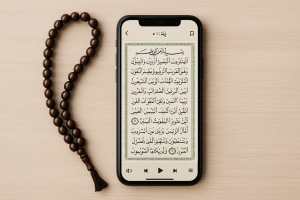
- 📱 Download a reliable Quran reading and audio app.
- 🎧 Use headphones for greater concentration and respect in the moment.
- 🌙 Choose quiet times, such as after prayers or before bed.
- 🔖 Use bookmarks to pick up right where you left off.
- 🌍 Choose apps with translations in multiple languages for better understanding.
- 🕌 Explore resources like tafsir and recitations from different qaris.
O Holy Quran is a spiritual guide for over 1.9 billion Muslims around the world. With the advancement of technology, it's now possible to listen to its recitations directly on your cell phone, anywhere, anytime. This practice is an accessible way to keep your faith active in your daily life, whether while traveling, during downtime, or as part of your spiritual routine. In this comprehensive guide, you'll learn the best apps, tips, benefits, and precautions for listening to the Quran in a practical, respectful, and enriching way.
Advantages of Listening to the Quran on Your Cell Phone
Access anywhere
Just have your cell phone nearby to listen to the Quran, whether at home, at work or while traveling.
Continuous learning
With repetition and tafsir features, you can study and better understand the verses daily.
Diversity of reciters
Listen to different styles of recitation from renowned qaris and deepen your spiritual connection.
Multilingual translations
The apps offer translations in dozens of languages, allowing people from different cultures to understand the message.
Personalized experience
You can mark favorites, create verse lists, and tailor the experience to your routine.
Study for memorization
Features such as repetition of verses help those seeking to memorize the Quran (Hifz).
Constant spiritual connection
Even on busy days, you can maintain daily contact with the word of Allah.
Best Apps to Listen to the Quran
1. Quran Majeed (Android/iOS)
One of the most popular apps in the Islamic world. It offers full recitation with different qaris, translations in over 40 languages, tafsir, and additional features like a Qibla compass and prayer times. Ideal for those seeking convenience and comprehensive content in a single app.
2. iQuran (Android/iOS)
Known for its simple and intuitive interface, iQuran is excellent for those who want to listen and read at the same time. It allows offline use, making it a practical option for those who travel or have limited internet access.
3. Muslim Pro (Android/iOS)
One of the most comprehensive Islamic apps, including the audio Quran, prayer reminders, an Islamic calendar, and mosque locators. Widely used by Muslims across the world.
4. Al-Quran (Tafsir & Audio) (Android)
Designed for those seeking deeper study, it offers detailed tafsir alongside the recitations. It also offers the option to select different qaris.
5. Quran Explorer (Android/iOS/Web)
Also available in a web version, it synchronizes audio and text in real time. Excellent for those who want to follow along with the reading while listening to the recitation.
6. Ayat (Android/iOS)
It offers a clean interface and high-quality recitations. It's suitable for those who simply want to listen, with few additional features but a strong focus on clarity.
7. MP3 Quran (Android/iOS)
Specializing solely in recitations. With a vast library of reciters, it's perfect for those seeking a variety of styles and voices.
Interesting Extra Features
- 📌 Smart bookmarks: Pick up right where you left off.
- 🔁 Repetition of verses: ideal for those who memorize the Quran.
- 🌙 Night mode: visual comfort for reading and listening in the dark.
- 🎙️ Choice of qaris: select world-renowned reciters.
- 📖 Integrated Tafsir: detailed interpretation for greater understanding.
- 🔊 Adjustable audio speed: customize the pace according to your learning.
Care and Common Mistakes
- Downloading apps from untrusted sources can compromise your phone's security.
- Listening in noisy places can reduce concentration and respect for the moment.
- Do not confuse translations with the original Arabic text.
- Forgetting to update apps can cause them to crash or lose functionality.
- Treating practice as something rushed, rather than a moment of reflection.
Interesting Alternatives
- 📀 MP3 Audio: download complete recitations to listen to without internet.
- 📺 Live broadcasts: Islamic channels and websites offer continuous streams of the Quran.
- 📚 Printed versions with QR Code: many physical editions include digital links to accompany the audio.
- 📡 Islamic podcasts: available on various platforms, they make it easy to listen to recitations and explanations.
What changes from one reciter to another
Those who open an app's list of reciters for the first time usually choose the most well-known name and stick with it. It's worth understanding what differentiates one recording from another, because the choice significantly changes the listening experience.
The most visible difference is in recitation style. The style known as murattal It has a regular pace and discreet ornamentation, with clear pauses between sections—it's the format most people prefer for following the text and for studying, precisely because each word is clearly highlighted. The style... mujawwad It is slower and more melodic, with prolongations and variations in pitch, and frequently appears in event recordings and broadcasts. There is no single best: there is only what suits the moment.
In addition, they weigh:
- The rhythm. Slower recordings make it easier to follow the reading on the screen; faster recordings produce more text in less time.
- The timbre and the region. Reciters from different traditions sound distinct, and familiarity plays a big role in concentration.
- The quality of the record. Some recordings are old, made under simple conditions, and have hissing. Others are studio recordings with clean audio. The difference is significant when listening on headphones.
- The pauses. The way the passages are divided varies between recordings, and this changes the alignment between the audio and the verse highlighted on the screen.
Here's a practical tip: listen to the same short excerpt with three different narrators before downloading hours of audio. Five minutes of this comparison can save you gigabytes of downloads you won't enjoy.
Offline audio: how much space is available and which quality to choose?
The complete recitation adds up to dozens of hours of audio, and that's where phone storage space becomes an issue. The calculation is simple and applies to any app:
- Around 64 kbps, One hour of audio takes up about 28 MB. For voice recordings, this is usually sufficient and produces a clear recording.
- At 128 kbps, At the same time, the size increases to about 56 MB — double the amount, with little gain in voice recording.
- Multiplying For the total duration, a complete recitation at the cheapest quality setting is in the range of a few hundred megabytes, and can exceed one gigabyte at higher speeds.
Since this content is essentially voice, without instrumentation and without a wide frequency range, the most economical compression preserves intelligibility much better than it would in a musical recording. When in doubt, start with the average compression rate.
Three habits that prevent headaches:
- Download in parts. One chapter, or one block of reading, at a time. It's faster, takes up less space, and you only download what you'll actually listen to.
- Turn on the option to download only via Wi-Fi. Downloading long audio files easily exceeds data limits.
- If your phone accepts a memory card, transfer the files there. The option is usually found in storage, within the application settings.
The playback features that make a difference.
The list of apps is long, but what separates a good recitation player from a common one is always the same handful of features:
- Repetition of a passage. Setting a beginning and an end point and repeating a defined number of times is the most requested technique by those who study or memorize.
- Adjustable speed. Slowing down the speed without changing the pitch helps to follow the pronunciation; increasing the speed is useful for reviewing what is already known.
- Automatic resumption. The app remembers where you left off and takes you back to that exact spot, even days later.
- Background playback. With the screen off and the controls on the lock screen, which is how almost everyone actually hears it.
- Timer. It automatically stops after a set time — useful for those who listen before bed and don't want their phone ringing all night.
- Queue and sequence. Automatically continue to the next chapter, instead of pausing at each track.
- Audio in the car. Through projection on the vehicle's screen or via Bluetooth, with the steering wheel controls functioning.
A technical detail that resolves the most common complaint: if playback stops on its own when the screen goes black, the cause is almost always the... system battery saving Suspend the app from running in the background. In your device settings, find the battery optimization list and remove this restriction for the app.
What these apps don't do
This is the part that almost no list includes, and it's what prevents disappointment:
- They don't correct your pronunciation. Highlighting the word that is playing is visual accompaniment, not evaluation. Some apps offer reading exercises, but pronunciation checking is the responsibility of the teacher, not the software.
- They are not a replacement for the teacher. For questions about reading, meaning, or practice, the best reference remains the guidance of qualified people in your community.
- The translation is not the text. What the app displays in Portuguese is a version from an identified translator, with their own choices. It's important to know whose translation you're reading.
- The app's tafsir is a specific work. Each comment has its own author and approach, and the app delivers what it has licensed or included—not the entirety of what exists on the subject.
- Schedules and directions depend on configuration. When the app includes these features, the result varies depending on the calculation method chosen and the calibration of the device's sensor.
- They do not guarantee that the audio will remain available. The recitation collection may be removed, and the app may be taken off the store. Saving the files you legitimately downloaded is what keeps it going.
Questions about listening and audio
Can I listen with headphones while doing other things?
Technically, nothing prevents it — it's audio like any other, and many people listen to it while commuting and traveling. Regarding the appropriateness of listening in each situation, that's advising from your community, not the app.
Why do the text on the screen and the audio go out of sync?
Because the timing is done recording by recording. When switching reciters, the application needs the corresponding synchronization file; if it wasn't included in the download, the on-screen highlight is lost.
Is it possible to listen without the app appearing on the lock screen?
Yes, you can turn off media notifications for that app in your system settings. You'll lose the quick controls, but playback will continue.
Does downloading audio consume a lot of data?
It consumes a lot of data because it's a long file. Therefore, it's worth downloading it over Wi-Fi, in parts, and checking the chosen speed before starting – the difference between the lowest and highest speeds is usually double the file size.
Is there an audio version with spoken translation?
Some apps play the recitation and then read the translation in another language. This is useful for following the meaning, but it doubles the file size and storage space.
How can I tell if an app is trustworthy?
Install only from official app stores, check who the developer is, read recent reviews, and verify that the requested permissions make sense for a reading and audio app. Contacts, SMS, and permission to install other apps do not.
Read also
- Quran on Your Phone: 7 Free Apps with Translation and Audio
- How to Read the Quran on Your Phone: Tajweed, Tafsir, and Offline Mode
- Listening to Music Without Using Data: How Offline Mode Works in Apps
- Listen to Music Offline: 10 Apps and Which Ones Don't Require Premium
- GPS Without Internet: 5 Apps with Offline Maps to Download Beforehand
Common questions
The original text is always in Arabic, but the apps offer translations into several languages, allowing for better understanding.
Not always. Many apps allow you to download complete recitations and listen offline without needing a constant connection.
Most are free, but some offer premium versions with extra features, such as a wider variety of qaris or detailed tafsir.
Quiet moments, such as after prayers or before bed, are best. But nothing prevents you from listening at any time of day.
Yes. With repeat functions, verse marking, and adjustable speed, these apps are useful tools for memorization (Hifz).
Yes, as long as it's done respectfully. Many Muslims listen to it while walking, traveling, or at work as a way to maintain spiritual connection.
Conclusion
Listen to the Quran on mobile is a modern and practical way to keep your faith alive daily. Apps make it possible to listen to recitations, study tafsir, follow translations, and even memorize verses. This practice is accessible to everyone, regardless of language or location, reinforcing the universal message of Islam. Try the suggested apps, share this guide with family and friends, and make technology an ally on your spiritual journey.