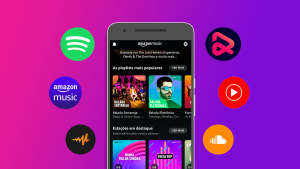
Listening to music without the need for the internet is a common need for those who travel, have a limited data plan or simply don't want to rely on an internet connection to enjoy their playlists. Fortunately, several free and paid apps allow you to download music to your cell phone to listen to offline with quality and convenience.
In this guide, you'll discover the best apps for listening to music offline, with up-to-date information on compatibility, extra features, things to consider, and helpful tips to get the most out of them.
Advantages
Save mobile data
By listening to music offline, you avoid internet costs and keep your connection free for other tasks.
Enjoy your music anywhere
Ideal for flights, highways, subways and places without signal, ensuring continuous entertainment.
Guaranteed audio quality
Downloading tracks allows you to control the sound quality and avoid stuttering or interruptions.
Ideal for training and meditation
Perfect for gyms, trails or moments of relaxation where the focus is on you.
Best Apps to Listen to Music Without Internet
1. Spotify (Offline Mode)
Availability: Android, iOS
Features: With the Premium plan, you can download albums, playlists, and podcasts to listen to offline. It allows for quality control, library organization, and support for playback on different devices.
2. Deezer
Availability: Android, iOS, Web
Features: The Deezer Premium version allows you to download songs and playlists to listen to offline. It also offers the Flow feature, which creates personalized playlists based on your tastes.
3. YouTube Music
Availability: Android, iOS
Features: With the Premium plan, you can download clips, songs and playlists. The highlight is the automatic downloads feature based on your history.
4. Amazon Music
Availability: Android, iOS, Web
Features: Allows you to download music with Amazon Music Prime or Unlimited plans. The library includes millions of tracks, plus integration with Alexa devices.
5. Audiomack
Availability: Android, iOS
Features: Offers free music and mixtape downloads, focusing on hip-hop, reggae, afrobeat, and other popular styles. The interface is light and intuitive.
6. Musify
Availability: Android, iOS
Features: Free platform with the option to save songs for offline listening. Includes advanced player features, playlist creation and built-in equalizer.
7. Boomplay
Availability: Android, iOS
Features: Popular in Africa and growing globally, it allows you to download free music with quality. It also offers integrated lyrics, regional charts and podcasts.
8. Pulsar Music Player
Availability: Android
Features: Offline player for music stored on your device. It doesn't rely on streaming, it's lightweight and customizable, with support for covers, lyrics and automatic organization.
9. AIMP
Availability: Android, Windows
Features: It supports multiple audio formats and allows you to create playlists for offline playback. It has a powerful equalizer, speed control and a minimalist design.
10. eSound Music
Availability: Android, iOS
Features: Free app with extensive library. Allows you to listen to music online and cache tracks offline with Spotify-inspired interface.
Interesting Extra Features
- 🎵 Built-in equalizers — Improve the sound quality to your taste.
- 📱 Intuitive interface — Easy-to-navigate designs even offline.
- 🔁 Continuous playback — No pauses between tracks.
- 🎚️ Independent volume control — Ideal for Bluetooth headphones.
- 🗃️ Library Manager — Organize tracks by genre, artist, or folder.
Common Care or Mistakes
- Forgetting to activate offline mode: Many apps require manual activation of the feature.
- Download on mobile networks: Prefer Wi-Fi to avoid using up your data plan.
- Do not check licenses: Music downloaded via subscription may be deleted if the plan is canceled.
- Confusing streaming with downloading: Some apps only make temporary cache, not actual storage.
Interesting Alternatives
- Use the mobile's native player: Most smartphones have built-in players for local files.
- Convert music with programs on PC: Software like 4K YouTube to MP3 helps you save audio for offline use.
- Subscribe to cloud services: Google Drive, OneDrive or Dropbox allow you to store your music and listen to it via compatible apps even offline.
- Buy individual songs: Platforms like Amazon, iTunes, and Bandcamp allow you to download and keep files forever.
How a music app makes money
This question explains almost everything you see on the screen — why the download is paid for on one service and free on another, why the ad appears every three tracks, why the app insists on suggesting the annual plan. The models are as follows:
- Signature. You pay monthly, and the service distributes a portion to all rights holders, based on the number of reproductions. This model supports large catalogs and is the only one that allows you to remove the ad altogether.
- Advertising. Audio ads are placed between tracks, and banners are displayed on screen. The advertiser pays, and the currency is your attention—and, in part, your listening habits, which is what makes the ad expensive.
- Derivative plans. Family, student, couple, bundle with other services. These plans serve to increase the number of subscribers per account and are usually the cheapest option per person.
- Partnership with operator. The app counts towards your mobile data plan. Note that "not counting against your data allowance" is not the same as being free: the cost is included in your plan.
- Store commission. A portion of every subscription purchased within the app goes to Google Play or the App Store. This is why some services charge more for subscriptions made through the app than on the website.
- Own or licensed catalog with advertisement. Some services offer free downloads because they have negotiated this with the rights holders, often focusing on independent artists and specific genres or regions.
The practical conclusion is simple: When the download is free, someone agreed that it would be.... If an app gives away the entire catalog that others sell for free, the problem isn't the prices of those other apps.
Enable offline mode without error.
Downloading and activating are two different things, and most complaints about "it didn't work" stem from this confusion. The correct sequence is:
- Log in to your account and confirm the plan. In most major services, downloading is a paid feature; in the free plan, playback depends on an internet connection.
- Enable the option to download only via Wi-Fi. First and foremost. This adjustment prevents surprises on the bill.
- Choose the download quality. It is separate from streaming quality and determines how much space the library will occupy.
- Download playlist or entire album, It doesn't download track by track. Follow the progress until the icon indicates it's finished; a download that stops halfway through won't notify you.
- Enable offline mode in the settings. It hides what's not on the device and prevents the app from trying to load content over the network — that's what avoids that pause in the middle of the track.
- Test in airplane mode., Still at home, playing something you hadn't heard that day.
- Reconnect from time to time. Downloaded content needs to have its license renewed periodically; opening the app while connected the day before a long trip solves the problem.
When the download stops playing
It happens, and almost always for one of these reasons — none of which are due to a defect in your cell phone:
- The license has expired. It was disconnected for too long, and the app froze playback until it detected the network again.
- The subscription has ended or the payment failed. What you downloaded is access, not ownership: without an active plan, the content stops.
- The track has been removed from the catalog. Contracts between streaming services and rights holders change, and an album may disappear from your playlist without notice.
- You've exceeded the device limit. Several services limit how many devices can keep downloaded content at the same time, and connecting a new one may disable the old one.
- The system cleared the application data. The function to free up space on your phone clears the cache — and, in some cases, takes downloaded files with it.
- The app has been removed from the store or is no longer being updated. Small service closes, and the library goes with it.
There's no solution to the last two issues. What does solve the problem is having, in parallel, a folder with files that are yours—purchased, extracted from your own media, or obtained directly from artists who distribute them that way. This part of the collection doesn't depend on any contract.
How to choose between ten options without installing ten?
Installing and testing everything is the worst way to decide: it consumes data, fills up your phone, and creates scattered accounts. Five filters solve the problem first:
- Test the catalog on the website. Almost all services have a browser search function. Look for five artists you actually listen to, including one lesser-known artist. Catalogue selection is the only criterion that can't be changed later.
- See if there's a free plan and what it includes. Some services don't have a permanent free version, only a trial period — and a trial that requires a credit card becomes a charge if you forget it.
- Check the price at the correct source. The price that counts is the one listed on the store's website or the official website, and these may differ from each other.
- Think about how you listen. If it's in the car, check the projection on the vehicle's screen; if it's on a speaker or watch, check compatibility. The best catalog is useless if it doesn't play where you use it.
- Ask yourself how you would get out of there. There are services that help transfer playlists between platforms; knowing this beforehand avoids the feeling of being stuck with one account because of playlists built up over years.
And the filter that works for any app: consistent permissions. A music service needs access to audio files and notifications. Contacts, SMS, precise location, and permission to install other applications have absolutely nothing to do with playing music.
Questions about downloading music on your cell phone
Are there any legitimate free downloads available?
There are three situations: services that have licensed their catalog and release downloads supported by advertising, artists and record labels that distribute their own tracks for free, and works in the public domain or with an open license. What is not legitimate is extracting a track from a service outside of the means that service itself offers—this violates the terms of use and the copyright of the person who recorded it.
What happens if I change my cell phone?
The account will be transferred, but the downloaded files will not: you can re-download them on the new device. Playlists, favorites, and history will remain saved in the account.
Can I listen offline on the watch, without taking my phone?
Yes, some services and watch models allow for content syncing via Wi-Fi and paired wireless headphones. This feature usually requires a paid plan, so it's worth checking before relying on it for your run.
Will canceling my subscription delete my playlists?
Normally not: the playlists remain in the account and return if you resubscribe. What stops working is the downloaded content and, depending on the service, ad-free playback.
Does downloading music improve sound quality?
It improves stability, not necessarily quality. What defines quality is the setting chosen in the download menu; what offline mode eliminates is the pause caused by a weak signal.
Can I use the same account on two different cell phones in the house?
It's possible to join, but simultaneous playback is usually blocked on individual plans — when one plays, the other pauses. That's exactly the problem the family plan solves.
Read also
- Listening to Music Without Using Data: How Offline Mode Works in Apps
- Applications to Listen to Free Gospel Music Without Internet
- Video with Photos and Music: 5 Editing Apps for Your Phone
- GPS Without Internet: 5 Apps with Offline Maps to Download Beforehand
- Free Wi-Fi Access: 5 Apps with Offline Map and Hazard Warning
Frequently Asked Questions (FAQ)
Not always. Many apps like Audiomack, Musify, and Boomplay offer free offline music. However, services like Spotify and YouTube Music require a Premium subscription for this feature.
Yes, all of the apps mentioned have global reach, although the catalog may vary by region. Most of them allow offline use even in places without an internet connection.
Spotify, Deezer and YouTube Music lead the way in terms of the volume of tracks available, but Audiomack and Boomplay also offer robust libraries with an emphasis on independent music.
Not on most streaming apps. Downloaded music is protected and linked to your account. For your own files, players like Pulsar and AIMP allow transfer via USB or the cloud.
Yes, apps often impose limits based on available space on your device and the rules of your subscription plan. However, you can manage and delete old downloads to free up space.
Conclusion
Listening to music without an internet connection is no longer a challenge. With the right apps, you can take your playlists anywhere and enjoy your favorite tracks freely, economically and with quality.
Try out the options listed, choose the one that best suits your profile and make the most of every beat, even without a connection. And don't forget to bookmark our site for more tech tips and useful apps!