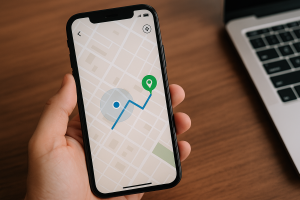
Sharing your real-time location has become routine: letting people know you've arrived home, arranging to meet in a crowd, tracking your child on their way to school. It's useful and it's safe — as long as the keyword is... to share, and not watch. This article shows how to use location-based apps effectively, which features matter, and exactly where the legal limit lies.
Quick Guide 📌
- ✔️ Activate the official location service for your device, before you need it.
- ✔️ To follow another person, use voluntary sharing — never a hidden app.
- ✔️ Set a timeframe: an hour, a day, a trip. Eternal sharing is unnecessary.
- ✔️ Periodically check who still sees where you are.
- ✔️ Installing a hidden tracking device on another adult's device is a crime.
Consent is not a detail, it's the foundation.
Before the list of features, the point that decides everything. In Brazil, Invading another person's device without authorization is a crime — article 154-A of the Penal Code., with a penalty of 1 to 4 years imprisonment. And the Article 5, item XII, of the Constitution It protects the confidentiality of communications. Installing a hidden app on a spouse's, ex-partner's, or colleague's cell phone to find out where they are fits directly into this framework.
Consensual sharing is something completely different: the person turns it on, sees that it's on all the time, and turns it off whenever they want. It's reversible, it's visible, and the decision is theirs. That's the line—and it's easy to recognize: If the app needs to be hidden to function, it shouldn't be there..
Advantages of consensual sharing
Arriving home safely
Sharing your ride with someone you trust on your nighttime commute is a simple personal safety measure, and you control when to turn it on and off.
Meeting without exchanging ten messages
At a concert, airport, or crowded shopping mall, seeing the other person's location on a map solves in seconds what conversation cannot.
Recover lost device
The platform's official service locates, rings, locks, and erases data remotely. It's the most valuable and least used feature.
Arrival and departure from designated locations.
Automatic alerts when someone arrives at school or leaves work eliminate the need for a confirmation phone call. Works well within the family, with everyone knowing it's set up.
Elderly care
For those caring for a family member with cognitive limitations, shared custody can be arranged with the family and the elderly person themselves, as long as they are able to decide. It is documented care, not surveillance.
Tools that are worth having
1. Find My Device (Android / Web)
It comes pre-installed on the device, linked to your Google account. It locates, rings, locks with a message, and remotely erases the phone. Check now if it's active—after losing your phone, it's too late.
2. Search/Find My (iOS/Web)
The Apple equivalent, with Lost Mode and on-screen message. It's also where the brand's Bluetooth trackers appear.
3. Sharing the map app
Google Maps and the iPhone map app share your location for a set period of time. It's the most transparent option available: whoever shares the location sees a permanent notification.
4. Live location on WhatsApp or Telegram
Inside the messenger that the family already uses, with an expiration date. Great for "I'm on my way".
5. Official parental controls (Family Link and Apple equivalent)
Designed for children and teenagers: location tracking, screen time limits, and installation approval. The app remains visible on the child's device—this visibility is what makes it legitimate.
Interesting Extra Features
- 🔔 Low battery alert Useful for knowing that the other person will be unreachable.
- 🛰️ Zones with automatic warning – notification of arrival and departure from designated locations.
- ⏳ Sharing with a deadline – the most important and least used resource: it expires on its own.
- 🔕 Pause without deleting It's possible to temporarily suspend the connection without breaking it.
- 🗺️ Last known position – shows where the device was before it turned off or lost signal.
Common Care or Mistakes
- ❌ Installing a hidden monitoring app on someone else's device is a crime, and the data collected by these apps often gets leaked.
- ❌ Believing in a service that promises to "locate by number" — it doesn't exist; it's a scam.
- ❌ Leaving permanent sharing enabled for too many people and then forgetting about it.
- ❌ Blindly trusting the map's location: in an enclosed environment, the error can reach tens of meters.
- ❌ Going alone to the address of a stolen device — take the information to the police.
- ❌ Setting everything up after losing your phone. The time to activate it is today.
Conversation before setting up
Here's a practical recommendation that almost never appears in these articles: as a family, agree on the rules before installing anything. With teenagers, it works much better to explain what will be viewed, for how long, and why, than to let them discover a hidden app on their own. In the latter case, what is lost is trust—and that's much harder to recover than a cell phone.
Interesting Alternatives
- Bluetooth Trackers – for keys, backpack and luggage, they appear on the same map as the official services.
- Operator services Some protection packages include location tracking and blocking.
- Emergency button on the cell phone itself Android and iPhone devices can now activate emergency contacts using location services; it's worth setting up this feature.
- Simple message combination – “I arrived” continues to function and does not collect any data.
How to know if they are tracking your device.
If the topic is consent, the mirror question needs to be here: what if someone installed something on the your Using a cell phone without you knowing? There are signs and a way to check, and it's accessible to anyone.
Where to look, in order:
- The list of who can see your location. In the maps app, the messaging app, and the official system service, there's a screen showing all active shares. Review them one by one and turn off any you don't recognize or no longer want.
- The devices connected to your account. Both your Google and Apple accounts show a list of connected devices. A device you don't recognize there is the most important discovery of all.
- Apps with accessibility or device administrator permissions. These are powerful permissions that allow you to read what appears on the screen and prevent uninstallation. Almost no common app needs them.
- Unknown configuration or management profile. Both systems allow for the installation of an administrator profile. If you don't work for a company that manages your cell phone, it shouldn't be there.
- The complete list of installed applications., ...not just the home screen. Surveillance programs often use generic names, as if they were system services.
- Store protection is linked. And the system is up-to-date. Surveillance apps rely on installation outside the app store, and that's the barrier blocking them.
Indirect signs Things worth investigating: battery draining much faster without a change in usage, the device overheating when not in use, unusual data consumption, and the other person knowing things that only your phone knew.
And one detail matters more than any configuration: If there is a risk of domestic violence, suddenly uninstalling the app could alert the person who installed it and worsen the situation.. In this scenario, seek help before interfering — the Women's Helpline, at 180, provides guidance and referrals, and the police can be reached at 190. Filing a police report with screenshots of what you found is also possible: installing surveillance apps on another adult's device is a crime.
Why is the point on the map sometimes wrong?
Nothing causes more family arguments than a point on a map that doesn't correspond to where a person is. Before accusing someone of lying, it's worth understanding how that point is produced—because it's an estimate, not a photograph.
- There are three different sources. Satellites offer the best accuracy, but require open skies. Nearby Wi-Fi networks help with positioning indoors. And when there's neither satellite nor Wi-Fi, there's the cell phone tower, which can be located in an area of hundreds of meters.
- Inside shopping malls, buildings, and underground parking garages, accuracy plummets. It's the classic "he's across the street" scenario — he is on the map; he's not in reality.
- The time matters more than the location. Each of these screens shows "last updated so long ago." A point indicating forty minutes ago describes where the device was, not where it is now.
- Battery saving mode reduces the update frequency. With low load, the system updates less and the point freezes.
- A device without a connection will not send anything. Without data and without Wi-Fi, what appears is the last known location, even if the phone is on and in motion.
- The circle around the dot is the main message. It indicates the estimated margin of error. A large circle means "somewhere around here," and that is the correct interpretation.
Practical conclusion for everyday family life: Use the map to reassure, never to monitor.. A discrepancy is almost always technical, and turning a margin of error into an accusation undermines the very trust that led everyone to agree to share.
How much battery and data does sharing consume?
This is the most frequent question from those who hesitate to turn on the feature, and the answer has two very different parts.
Data is practically weightless. What's transmitted is a handful of coordinates, pure text. Compared to any social media video, it's irrelevant in the monthly package.
Battery weight depends on the mode:
- Location on demand The device is only searched when someone opens the map. This is how official services locate devices, and the impact is minimal.
- Continuous real-time sharing — keeps the positioning system awake and updated. That's what really consumes resources, and that's why the apps offer deadlines: one hour, until the end of the day, until arrival.
- Automatic arrival and departure notifications — They stay in the middle of the path, checking their position from time to time.
Three adjustments that solve almost all battery complaints: prefer timed sharing instead of permanent; leave location services in high-precision mode only for apps that need it; and, on long trips, combine turning on sharing for specific segments, not all day. The most underutilized feature on this topic remains... expiration date It saves battery power and privacy at the same time.
More questions about sharing your location
Does the person know when I look at where they are?
Generally, there's no warning at each appointment—what exists is a permanent reminder that sharing is enabled. That's why agreeing beforehand on how often this will be used avoids discomfort later.
Is it possible to share it only for a certain period of the day?
Yes, it works, and it's the best use. All official services accept time limits, and some allow sharing until it reaches its destination. Eternal sharing is the exception that should require justification, not the norm.
My son turned off location services. What now?
With official parental controls, it's possible to require authorization to change certain settings, and the system itself notifies you when the service is turned off. It's worth remembering that teenagers who discover hidden surveillance turn everything off and start using another method—explicit agreements usually last longer than the system's restrictions.
Does it work if the phone is in airplane mode?
No. Without a connection, the device does not send its location, and what appears is the last known location, along with the time it was recorded.
Can I keep up with someone who uses a different operating system?
It's possible by using a common approach for both—sharing the map app or the messaging app that the family already uses. The native services from each manufacturer only work within their own ecosystem.
Do I keep a record of where the person has been?
Sharing shows the current location, not a travel diary. Location history is a separate function, belonging to the device itself and the user's account—and it's up to them to decide whether to keep or delete it.
Read also
- Genealogy Apps: How to Build Your Tree with Documents and DNA
- Track Your Lost Cell Phone: 5 Apps and How to Configure Them
- Tracking a Cell Phone with Reliable Apps: What Requires Consent
- Photo Collage on Your Phone: 5 Free Apps with Ready-Made Templates
- Follow Football for Free: 5 Score and Statistics Apps
Frequently Asked Questions (FAQ)
Not in real time: the device needs a connection to send its location. What appears is the last known location.
Yes. Without consent, it's considered an unauthorized access to a device — article 154-A of the Penal Code, punishable by 1 to 4 years imprisonment. The exception is parental control of a minor child, done transparently.
It works, both on official services and family apps — as long as each person has agreed to the sharing.
On-demand location services are almost undemanding. Continuous real-time sharing consumes more data because it keeps GPS active.
It works, as long as the device has a connection. When traveling internationally, without a local SIM card or roaming, it will only appear when it connects to Wi-Fi.
Conclusion
Real-time location is one of the most useful features of a cell phone when used correctly: to find your own device and to share your location with whomever you've chosen.. Within this framework, it provides real security, is free, and is already installed on your phone.
Outside of that system, it becomes something else entirely—and that something else has a name in the Penal Code. Activate the service on your device today, agree with your family on what each person shares and for how long, and review that list from time to time. That's enough.