When I started researching "at-home ultrasound," I found dozens of pages promising that your cell phone can perform the exam. It can't—and it's worth explaining why before anything else. 🌸
Ultrasound depends on a transducer, It's a device that emits high-frequency sound waves and listens to the echo that returns from each tissue. It's physics, not software. No smartphone sensor emits or captures this type of wave: the camera sees light, the microphone listens to audible sound, the accelerometer senses movement. None of them see inside the belly.
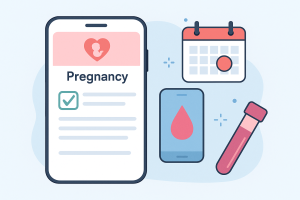
What cell phones really do during pregnancy — and do very well — is record, organize and remember. This guide is about what you can track with the device between appointments, what only the exam shows, and how to bring this information to prenatal care without getting lost along the way 🤱.
Quick Guide 🌸
- ✅ The cell phone it doesn't Ultrasound: the examination requires a transducer and a qualified professional.
- ✅ What it does is save dates, symptoms, test results in PDF format, and set reminders.
- ✅ Counting fetal movements is a useful at-home record — and it's free.
- ✅ Ultrasound photos taken at the clinic can be scanned and organized by week.
- ✅ Any warning sign should be consulted, never reviewed via an app 👩⚕️.
Why can't the smartphone perform the test? 🔬
An ultrasound device emits waves in the range of millions of cycles per second. To do this, it needs a piezoelectric crystal inside the transducer, conductive gel to eliminate the air layer between the skin and the probe, and a dedicated processor that transforms the echo into an image. A cell phone has none of these three things.
Yes, they exist., Portable ultrasound devices for professional use.These are probes the size of a remote control that connect to a tablet or cell phone and display the image on the screen. They are real and they are great — but they are... medical equipment, Sold to clinics and professionals, with health registration, priced like hospital equipment, and most importantly, fulfilling a requirement that no app can solve: someone trained to position the probe and interpret what appears.. The raw ultrasound image is not self-explanatory; it is a shade of gray that only makes sense to those trained to read it.
There is also fetal Doppler, That little device that picks up the baby's heartbeat. It's even sold for home use, and this is where a little-discussed risk lies: health regulatory bodies recommend that ultrasound and fetal Doppler be used by a qualified professional, with a clinical indication, and not as a form of entertainment. The reason is practical—a pregnant woman might pick up her own pulse and think she heard the baby, feel reassured, and postpone an urgent appointment. This false sense of security is the side effect.
What can you actually track on your phone 📲
Prenatal calendar
Date of last menstrual period, gestational age week by week, estimated due date, and schedule of appointments and exams. It's the most obvious and useful application: nobody needs to memorize when the second-trimester morphology scan is 🗓️.
Fetal movement counting
From the third trimester onwards, many prenatal services advise mothers to observe how many movements the baby makes at a given interval. This is a manual count, done by the pregnant woman, and the app only records the touches and keeps a history. It's data that the obstetrician uses — and it's free 💗.
Diary of symptoms and measures
Nausea, heartburn, bloating, pain, blood pressure measured with a special device, weight for the week. Recorded daily, this becomes a timeline that answers questions memory can't answer: "How long has this bloating been going on?" 📝.
Storage of exams in PDF format and images.
The images provided by the clinic can be photographed or scanned and are organized by date. At the time of the appointment, everything is at hand, without having to search for paper in your bag 📁.
Medication and supplement reminders
Folic acid, ferrous sulfate, whatever the doctor prescribes. A daily alarm solves the problem of forgetfulness, which is the real issue with adherence 🔔.
Teleconsultation with your own doctor
Video calls with your healthcare provider are true telemedicine and are regulated. What it doesn't do is replace in-person exams—it complements them 👩⚕️.
What only the exam shows 🩺
- Baby anatomy — heart, brain, kidneys, spine, limbs. Only a morphological ultrasound can assess this, and it has its own time window within the pregnancy.
- Placental position and amniotic fluid volume — information that changes the course of childbirth and that no symptoms reveal.
- Fetal growth — measurements compared to reference curves, made with the device.
- Baby's gender — visible on ultrasound from a certain gestational age, or through a specific blood test. An app that claims to "guess" based on the Chinese calendar is a joke, it's not a reliable result.
- Blood pressure and blood and urine tests Preeclampsia, gestational diabetes, and urinary tract infections are diagnosed using medical equipment and laboratory tests.
How to choose a pregnancy app without falling for false promises 🧭
- Read the description in the store looking for the verb. “"Record," "monitor," "organize" is honest. "Measure," "detect," "diagnose" is a red flag.
- Be wary of apps that ask for a photo of your belly to "generate the image". That doesn't exist; what exists is a filter.
- See what it does with your data. Pregnancy is a health record. Choose apps that explain in Portuguese where they store the information and that allow you to export and delete everything.
- Check if it's possible to export as a PDF. A report that the doctor can read is what makes the record useful.
- Choose what works without a problem. The less data you give away, the less damage there will be if a leak occurs.
Important Care 🚨
- ❌ No app can replace a prenatal appointment.
- ❌ Absence of symptoms in the app does not mean that everything is okay.
- ❌ Home fetal Doppler monitoring can give a false sense of security — if something changes, seek medical attention.
- ❌ Do not buy "ultrasound kits for cell phones" on marketplaces: it is either used medical equipment outside of its intended purpose, or it is a scam.
- ❌ Decreased movement, bleeding, severe pain, or fluid loss are reasons to visit a healthcare professional. now, Not to open an app.
Alternatives that solve the real problem 🌷
- Prenatal care in the public healthcare system The Brazilian public health system (SUS) offers prenatal care and obstetric ultrasounds; the pregnant woman's health record book is the official document and is worth more than any app.
- Video consultation with your obstetrician. — resolves doubts between appointments without the need for travel.
- Home sample collection for tests. — Several laboratories offer home sample collection, which is helpful for high-risk pregnancies or those with reduced mobility.
- Groups of pregnant women from the health service itself. — information from a professional, not from social media.
What to bring to each prenatal appointment
The consultation is much more productive when the information is organized, and that's exactly where the cell phone comes in. A simple script, put together the day before:
- The pregnant woman's booklet. It is the official follow-up document, where the team notes what was done and what was requested. The app is your personal copy; the booklet is the health service record, and it always goes with you.
- Tests since the last appointment, in paper form or photographed in full — all pages, including the one with the date and the name of the laboratory.
- The list of what you are taking, including name and dosage: what was prescribed during prenatal care and also what you use for another condition.
- Period symptom diary, with dates. “It started a few days ago” becomes “it started on the 12th” and the difference is significant for the listener.
- Movement log, If your team instructed you to do this count.
- Your questions written in order.. Three questions written down yield more results than ten only half-remembered.
A practical tip that saves you trouble: leave the files downloaded on the device, ...not just in the cloud. Exam rooms are usually places with poor signal, and that's always where the app decides to ask for the password again.
Two apps, two gestational ages: why does this happen?
This is one of the most common confusions and is almost never a program error. Gestational age can be calculated in more than one way, and each calculation method gives a slightly different result.
- Based on the date of the last menstrual period. This is the calculation that every app makes by default, because it's the information you enter. It assumes an average cycle length—and those with cycles shorter or longer than this average start from zero with a few days difference.
- By ultrasound. The test estimates the age based on the baby's measurements, and it's the reference the healthcare service uses when the two estimates differ. The prenatal care team, not the app, determines and adjusts the due date.
- Rounding up weeks. One app shows "12 weeks" and another shows "11 weeks and 6 days" for the same day. It's the same information presented in two different ways.
- The date was entered incorrectly. Changing the month in the registration, which happens quite often, throws the whole bill away and nobody notices until the number seems strange.
What to do with this in practice: Use the date your team recorded in the notebook as the sole reference. Adjust the app to match yours, if it allows it. Having two apps showing different weeks only creates anxiety, and the prenatal data is the one that matters for any decision.
If the pregnancy changes course: pause or delete the monitoring.
This topic almost never comes up in the guides, and it should. When a pregnancy is interrupted, the app continues doing what it's programmed to do: send the week's notification, the content about the baby's layette, the countdown. Receiving this is painful and catches the person off guard.
It's possible to plan ahead, and it's worth knowing where these options are located before you need them:
- Turn off app notifications. The solution is found instantly through the phone's own settings, without having to find the right menu within the app at a difficult moment.
- Pause or stop monitoring. It's an option that many apps offer, sometimes hidden in "pregnancy settings." It pauses the weekly content without deleting anything.
- Delete the account This is the final step. Check beforehand if you want to save anything — many people prefer to export their notes and photos before finishing.
- It's worth unchecking the sharing option with family members., If it was turned on, the alerts would stop reaching other people as well.
- Marketing emails are another form of registration. Closing the app does not cancel the message list; the unsubscribe option is usually found in the footer of each email.
And what matters more than any setting: support at this time is not something an app can provide. The service that accompanies you is the right place to seek guidance and, when it makes sense, referral for psychological support.
More questions about tracking pregnancy via mobile phone?
Is it possible to use a pregnancy app without creating an account?
Some work locally, and that's the least exposed option. The downside is that without an account there's no backup: if the phone disappears, the entire diary disappears with it. In that case, exporting occasionally ceases to be a luxury.
Can my partner follow along using their app?
Several apps offer a mode for your partner or anyone you invite, with a reduced view of what you've recorded. It's a good feature, and the choice is yours: you choose what to share and can revoke it later.
I switched phones and lost everything. Is there any way to recover it?
This only applies if there was an account with a backup or a saved export. It's worth doing this before switching: export the diary, save the exam images to a folder in the cloud, and confirm with your own eyes that the history appeared on the new device before deleting the old one.
Does the app replace the pregnancy booklet?
No. The booklet is the monitoring document, filled out by the team, and it's what you take with you to any health service, including during childbirth. The app is your personal record—the two coexist well.
Can ultrasound photos be saved in the app?
They can, and it's a good use: photographed or scanned, they are organized by date and available for consultation. Also keep a copy outside the app, because you'll want these images many years from now.
Read also
- Diabetes on Your Cell Phone: 8 Apps for Blood Glucose, Insulin, and Reports
- Controlling Blood Sugar via Cell Phone: 5 Free Tracking Apps
- Boy or Girl? What Do Guessing Apps Really Do?
- Free Blood Glucose Monitoring Apps: Logging, Graphs, and Medical Reports
- Blood Pressure Apps: What They Record and What They Don't Measure
Frequently Asked Questions (FAQ) 🤱
No 🌸. The test relies on a transducer that emits and receives sound waves — hardware that smartphones don't have. Apps that promise this are selling what they don't deliver.
They exist and they work, but they are medical equipment: the cell phone only serves as a screen. A trained professional operates and interprets them.
Home use is not recommended. The greatest risk is not the device itself — it's confusing your own pulse with that of the baby and delaying a necessary evaluation.
To record 📒: gestational age, symptoms, baby movements, medication, appointment schedule, and tests already performed, all exportable to take to the obstetrician.
No. The Chinese calendar and quizzes are for entertainment. What reveals the pregnancy is an ultrasound from a certain gestational age or a specific blood test ordered by the doctor.
Conclusion 💕
Technology is very helpful during pregnancy—just not in the way the ads promise. A cell phone is not an examination device; it's a... smart notebook, And a well-filled notebook is worth its weight in gold during a consultation 🤱✨.
Record the dates, count the movements, keep the exams, write down the symptoms, and take all of this to your obstetrician. Prenatal care is what takes care of your pregnancy; the app just helps you not forget anything along the way 💗👶.