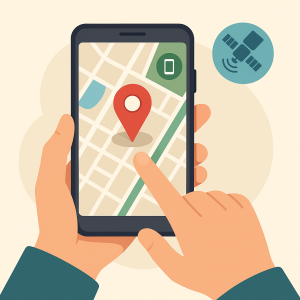
- 📱 Activate the location service today on your own device.
- 🔐 Check permissions, screen password, and backup before you need it.
- 👨👩👧👦 Family sharing requires consent — and the app must remain visible on the device.
- ⚖️ Tracking another adult's cell phone without authorization is a crime in Brazil.
- ⚠️ Any app that promises to "track any number without installing anything" is a scam or stalkerware.
Losing your cell phone is one of the worst feelings in modern times: along with the device go photos, conversations, banking apps, and email access. The good news is that both Android and iPhone come with a free, official, and quite efficient location system—as long as it's turned on. before What if your device goes missing? This guide shows you how to prepare for it, what to do in the first few hours after it disappears, and exactly where the line is drawn between protecting what's yours and committing a crime. 🚀
The rule that changes everything: whose device is it?
This is where almost all content on the subject falls short, so it's worth being explicit. In Brazil, Invading someone else's computer device to obtain, alter, or destroy data without the owner's authorization is a crime., as foreseen in Article 154-A of the Penal Code, punishable by 1 to 4 years imprisonment and a fine. Installing a hidden app on another person's phone to track their location fits perfectly into this. And the Constitution, in article 5, item XII, It protects the confidentiality of communications—which reinforces the idea that the privacy of others is not negotiable due to curiosity, jealousy, or distrust.
In other words: there are three legitimate situations, and only three.
- The device is yours. You can remotely locate, touch, lock, and erase at will.
- Someone shared their location with you, knowing this. Husband, wife, friend, colleague — sharing is visible to the person sharing and can be turned off at any time.
- Parental control of a minor child, done openly. The app appears on the screen; the child knows it exists and why. That's care; a hidden app is surveillance.
Apart from that — spouse, ex, coworker, neighbor — there is no legal possibility. And, in practice, there is also no technical possibility: no service locates a cell phone using only the number, without something installed and authorized on that device.
Advantages of setting your device's location.
Recovery of a lost device
Forgetting your cell phone in a taxi is no longer a tragedy: you can make it ring at maximum volume even on silent mode and see its location on a map.
Remote locking and wiping
In case of theft, the most important thing is not the hardware, but what's inside. Blocking it immediately and erasing the data prevents significant losses.
Message on the lock screen
You can display a message with a contact phone number. A large portion of "lost" devices are returned because someone honest found a way to give them back.
Personal security with consent
Sharing your location with someone you trust when returning home late is a simple measure that has already helped many people.
Peace and quiet with children
Transparent parental controls allow you to know that your child has arrived at school, with the agreement made beforehand and the app visible on their device.
It works on any platform.
Android, iPhone, tablet, and notebook devices all have equivalent services, all free and integrated with the account you already use.
The official tools — and why they're enough.
1. Find My Device (Android / Web)
Google's own service, linked to the account already on the device. It shows the location on the map, makes the phone ring, locks it with a message, and remotely erases everything. Free and requires no installation. Check now, in the security settings, if it's activated.
2. Search/Find My (iOS/Web)
The Apple equivalent, integrated with iCloud. Besides the map, it has Lost Mode, which locks the iPhone and displays a message with a phone number. It also locates iPads, Macs, and Apple accessories.
3. Sharing your location from the maps app
Both Google Maps and the iPhone map app allow you to share your location for a set period of time—an hour, until the end of the day, or until you turn it off. It's the most transparent way to let someone know you've arrived.
4. Live location sharing on WhatsApp and Telegram
The same logic applies within the messaging app the family already uses. It has an expiration date, and the person sharing it can see that they are sharing it at all times.
5. Official parental controls (Family Link and Apple equivalent)
Designed for families with children and teenagers: location tracking, screen time limits, and app installation approval. It works transparently, with the child's knowledge—which is precisely what differentiates care from spying.
6. Anti-theft device from the manufacturer.
Several brands offer an additional service on the manufacturer's account, with extra features such as logging unlock attempts. It's worth checking if your device has this.
What to do in the first few hours after a robbery.
- Access the official service from another device or through your browser and block immediately, with text message and phone.
- Call the operator and Block the SIM card and IMEI.. A blocked SIM card prevents account recovery via SMS.
- Change the password for your main email account and enable two-step verification for everything.
- Notify the bank and block the banking app.
- File a police report — many states have online police stations.
- Don't go to the address on the map to pick up the device. The location is approximate and the risk is real. Take this information to the police.
Care and Common Mistakes
- ⚠️ Only turn on location services after you lose them. It doesn't work. The setting needs to be active first.
- ⚠️ Trusting websites that "track by number": This is the most common scam in this area. They either charge for the service and don't deliver, or they install malware.
- ⚠️ Installing stalkerware on someone else's device: In addition to being a crime, these apps often leak the data they collect.
- ⚠️ Go to the place alone: The point on the map has a margin of error of tens of meters.
- ⚠️ Forgetting the SIM card: Locking the device and leaving the SIM active is only half the protection.
- ⚠️ Share your location permanently with many people: Check from time to time who still sees where you are.
Interesting Alternatives
- 🔎 Bluetooth Trackers for keys and backpack, which appear on the same map as the official services.
- 📡 Operator services, offered as a customer protection package.
- 🔐 Mobile antivirus from a recognized manufacturer., which adds an anti-theft function to the package.
- 💾 Automatic cloud backupWhen the device goes missing, the worst part is losing the photos. Having backup enabled solves this problem before it even happens.
The anatomy of the "track any number" scam.“
This is the most sought-after service on the subject, and the only one that doesn't exist. It's worth dissecting how the scam is set up, because anyone who recognizes the script won't fall for it.
- The bait. A website or advertisement promises to locate any cell phone using only the number, without installing anything, and without the person knowing. The promise is exactly what someone searching wants to hear.
- The theater. You type in the number and a map animation appears with messages like "connecting to the tower," "triangulating signal," sometimes with a generic satellite photo. None of it actually consulted anything: it's a looping animation.
- The toll. The moment the result is "ready," a barrier appears: a verification, a registration, a survey to answer, an app to install, or a small fee to pay.
- The harvest. This is where the damage occurs, in one of four ways: recurring subscription charged to your bill or mobile phone; card captured in a form; installation of a file from outside the store with broad permissions; or — most seriously — a request for a verification code used to take over your messaging account.
- The disappearance. The location never appears. Because the promised service was illegal, almost no one files a formal complaint, and that's precisely what the scam relies on.
Why it's technically false: the phone number is merely a line identifier. The approximate location of a device on the network is information held by the operator and access to which is restricted, subject to legal procedures—it's not something a website sells for a few dollars. Furthermore, locating a device requires an authorized and active service. within from the device, linked to an account that someone controls.
If you've already fallen: Cancel the subscription and dispute the charge with your bank or service provider, change the passwords for the accounts involved, activate two-step verification, uninstall any installed software, and if the file came from outside the store, consider a factory reset with a clean backup. If there was unauthorized payment or misuse of data, file a police report.
What does the official store require of a monitoring app?
There is a huge difference between a location-based app and a surveillance program, and app stores have begun treating this difference as a published rule—giving the average user an easy criterion to apply.
Generally speaking, an app that collects and transmits another person's data is only accepted in official app stores when:
- It presents itself as parental control or as corporate device management., and not as a solution to accompany a spouse, ex, or colleague;
- doesn't hide its own icon It doesn't even disguise itself as a system service;
- maintains a visible warning, persistently, while monitoring;
- does not advertise spying functionality in the description, in the images, or in the words used to find it.
This leads to a practical test that requires no technical knowledge: Read the app description in the store.. If it promises invisible mode, a hidden icon, reading other people's messages, or tracking without the person knowing, you're dealing with a surveillance program—and probably a download from outside the store, because the store wouldn't accept that description.
One important detail: the systems now notify the user when an application is using location services in the background, and they display these notifications in a way that is difficult to hide. This is protection for the recipient, not an obstacle for the caregiver — transparent parental control works perfectly with the notification enabled.
Notebook, tablet and watch: the rest of what disappears
The conversation usually ends on the phone, but losing a laptop with the browser logged in is a problem of the same magnitude. It's worth activating it beforehand on each device in the house:
- Tablet. It works just like a cell phone, on the same service and the same account. The blind spot is the tablet that's only on the home Wi-Fi: without a network, it only shows its last known location.
- Notebook. The main systems offer their own location service linked to the manufacturer's or system's account, which needs to be activated before In the privacy settings, enable disk encryption: without it, removing the disk from the device is enough to read your files.
- Watch and headphones. They appear on the same map as official services, with one predictable limitation: they show the last location where they were connected to their cell phone, not where they are now.
- Activation lock. In some ecosystems, the device remains linked to your account even after it's been formatted. This prevents resale—and is also the reason to unlink the device from your account before selling or donating anything.
- Password manager instead of browser. If a laptop disappears along with all the passwords saved in the browser and no master password, the loss is greater than just the hardware damage.
Here's a good ten-minute practice: open your main account page and check the list of connected devices. Any old, sold, or borrowed device that still appears there is an active access point—remove it.
More questions about locating devices
Are there any cases where the police are able to locate someone using only their phone number?
Access to location data held by a mobile operator is a legal procedure conducted by the authorities. It is precisely because this is a controlled process that it is not for sale on any website—and this is yet another reason to file a police report instead of trying to resolve the issue on your own.
Does a third-party app offer more protection than the native service?
Generally, no. The system's own service operates at a deeper level of the device and remains active even after a regular application has been closed. Installing more layers usually results in more battery consumption than protection.
I installed a suspicious app and now I want to remove it. How do I do that?
First, revoke accessibility and device administrator permissions, as this is what usually prevents uninstallation. Then uninstall, run the store's security check, change your passwords, and enable two-step verification.
I lent my old cell phone to a family member. Should I do anything about it?
Yes: remove the device from your account, perform a factory reset, and confirm that it has disappeared from the list of connected devices. A borrowed device with your active account receives your verification codes.
Does tracking work with the chip removed?
It works if there is Wi-Fi, because the location is sent over the internet, not the phone line. Without a SIM card and without Wi-Fi, the device remains silent and the service only shows the last recorded location.
Read also
- Track Your Lost Cell Phone: 5 Apps and How to Configure Them
- Monitoring Family Cell Phones in Real Time: Apps and Consent
- Genealogy Apps: How to Build Your Tree with Documents and DNA
- Photo Collage on Your Phone: 5 Free Apps with Ready-Made Templates
- Video with Photos and Music: 5 Editing Apps for Your Phone
Common questions
It shouldn't be done, and in practice, it's not possible. Installing a hidden app on someone else's device is considered device intrusion, a crime under Article 154-A of the Penal Code, punishable by 1 to 4 years in prison.
No. Services that promise that are a scam. Location verification depends on an authorized and active service within the device itself.
As a rule, no — only the last known position is shown. Some recent models retain a low-power signal for a period after being switched off.
Yes, in the exercise of parental authority and in a transparent manner: use the official parental control tools, with the app visible and the conversation taking place beforehand.
Only with his consent, through voluntary sharing that he can turn off whenever he wants. Marriage does not eliminate the right to privacy.
Official services are optimized and the impact is small. Continuous real-time sharing consumes more than on-demand location services.
On Android, look for “Find My Device” in your security settings. On iPhone, enter your name, then Find My, and turn on Find My iPhone. It takes less than a minute.
Conclusion
Protecting your own cell phone is easy, free, and takes a minute — and it's the only version of this story that actually works. The official Android and iPhone tools locate, ring, lock, and erase your phone, without installing any third-party software and without paying anything. 🌍
The promise to "track any cell phone" is not only illegal, it's technically false. Anyone selling this is selling a scam or stalkerware. Activate the service on your device today, coordinate with your family what each person shares and for how long, and send this guide to anyone who still thinks there are shortcuts. 😉