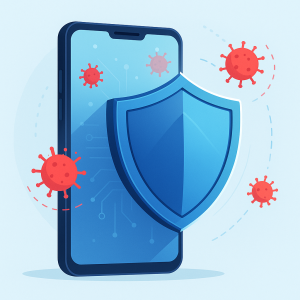
Your phone is more vulnerable than ever. WhatsApp scams, malicious links, and even fake apps can steal your data in seconds. But the good news is that there are effective free antivirus to protect your Android or iPhone, Even without spending a penny. In this guide, you'll discover the best apps on the market, with powerful features.
Advantages of Using an Antivirus on Your Cell Phone
Real-time threat protection
Antivirus monitors apps and websites in real time, blocking viruses, Trojans, and malicious links.
Security for shopping and banking
Helps protect your data in banking apps, PIX, e-commerce, and sensitive transactions.
Detection of fake or spy apps
Identifies malicious apps that access your camera, microphone, or steal your information.
Lightness and battery saving
The apps mentioned here were chosen for their great performance and low consumption.
Best Free Antivirus for Android and iPhone
1. Avast Antivirus
Availability: Android, iOS
It offers real-time protection, blocking dangerous links, and Wi-Fi scanning. It also has anti-theft features and a photo vault.
2. Bitdefender Mobile Security
Availability: Android, iOS
Lightweight and efficient, it offers on-demand scanning, web protection, app blocking, and data breach alerts.
3. AVG Antivirus
Availability: Android, iOS
User-friendly interface, extra features like junk cleaning, app blocking, and lost phone tracking.
4. Avira Mobile Security
Availability: Android, iOS
It stands out for its free integrated VPN, privacy scanner, and protection against phishing and spy apps.
5. Kaspersky Mobile Security
Availability: Android, iOS
Solid protection against malware, dangerous links, and suspicious apps. The free version already offers excellent performance.
6. Norton Mobile Security (Free Version)
Availability: Android, iOS
Focus on online security: alerts about unsafe Wi-Fi networks, risky apps, and vulnerability updates.
7. Malwarebytes
Availability: Android, iOS
Excellent for detecting malware, adware, and apps that display strange behavior. Very lightweight and effective.
Interesting Extra Features
- Integrated VPN: Some antiviruses like Avira offer free VPNs for anonymous and secure browsing.
- Anti-theft: Functions such as remote location, audible alarm and device lock help in case of loss or theft.
- Photo Vault: Protect photos and personal files with a password or biometrics using apps like Avast or AVG.
- Privacy Check: See which apps access your camera, microphone, or location.
- Data Breach Monitoring: Alert if your email or password is leaked on the internet (Bitdefender and Norton).
Common Care or Mistakes
- Install multiple antiviruses at the same time: It can cause slowdowns and conflicts between apps. Use only one.
- Bypass app permissions: Always review what each application accesses on your phone.
- Uninstall antivirus by mistake: Many users remove it thinking the app doesn't do anything, but the protection is in the background.
- Not keeping the app updated: Virus definitions change all the time, so updates are essential.
Interesting Alternatives
- Google Play Protect: Built into Android, it automatically scans apps but has limited protection.
- Apple Integrated Security: iOS has advanced protections against malicious apps, but it doesn't detect data leaks.
- Paid apps: If you need advanced protection, it's worth investing in premium versions with more features.
- Manual reviews: Manually checking apps, permissions, and phone behavior is still essential.
How does a mobile antivirus decide if something is a threat?
Understanding the inner workings of the mechanism changes expectations—and wrong expectations are what make someone think they're shielded when they're not. A security application basically works with three methods, and each one has its own kind of blind spot.
Signature. It's the classic method. The company maintains a catalog of known malicious files, identified by a kind of digital fingerprint. The application calculates this fingerprint of what's installed on your device and compares it to the catalog. It's fast, accurate, and virtually foolproof—but it only recognizes what's already been cataloged. A new threat, created yesterday, goes unnoticed until it's added to the list.
Behavior and heuristics. Instead of asking “Do I recognize this file?”, ask “Is this file acting suspiciously?”. A flashlight app that tries to read messages, a game that requests accessibility permission, a program that hides from the icon list: these are patterns that trigger alerts even without a catalog. This method catches what is new, and in return makes more mistakes—that's where the false positive comes from, that alert about a legitimate application.
Cloud reputation. The app queries the company's servers to find out what that file has been doing on other people's devices. It works well and responds quickly to recent threats, with two side effects: it requires internet access and involves sending information about what is installed on your phone.
Combine the three and you have the real picture: good coverage against what is known, partial coverage against what is new, and nothing that replaces the decision you make when installing something.
Why is it that no app on the iPhone scans other apps?
This is the part that confuses the most people, and the explanation is technical, not commercial. On iOS, each application runs inside an isolated box and only sees its own files. There is no permission that gives an application access to the content of others—not even for good. In other words: No iPhone security app scans other apps for viruses., Because the system doesn't allow that for anyone.
What these apps actually deliver on the iPhone is something else entirely, and it can be useful as long as you know what you're buying: blocking fraudulent websites while you browse, content filtering, virtual private network, alerts when your email appears in a known data breach, and Wi-Fi network checking. None of this is virus scanning, and marketing often confuses the two.
On the system side, the iPhone already includes automatic security updates, pre-screening of apps from the official store, and native remote locking and erasure features in case of loss. On Android, the equivalent role is played by Play Protect, which comes pre-activated and scans installed apps, including those from outside the store.
The practical conclusion, without taking sides: on Android, a good security app adds real layers of security; on iPhone, it adds network and privacy services, not a full scan. It's worth knowing this before signing up for something expecting something that doesn't exist.
What antivirus software can't prevent
Here's the section that almost no text on the subject covers, and which solves most of the real problems. Most of the scams targeting Brazilians today don't use viruses—they use you.
- Transfer that you yourself authorized. If you entered your password and confirmed the payment, from the system's point of view it was a legitimate transaction. No antivirus software will interrupt that.
- Fake page where you entered your password. When the address is not yet known to be fraudulent, the filter does not block it. And the password, once entered, is already on the other side.
- Fake bank employee. The call asking you to confirm your information or install a "security app" is not detectable by scanning. It's just talk.
- Verification code forwarded. That six-digit number that arrives via SMS is the key to your account. If you give it to them, the antivirus software can't undo it.
- Cloning a number by swapping a SIM card. The attack happens at the carrier's site, not on your device. The phone itself isn't even involved.
- Password leaked and reused. If the same password is used for ten services and one of them is compromised, the other nine are vulnerable. That's a password management problem, not a malware issue.
- Unlocked cell phone in someone else's hands. Theft with the screen open is the most common scenario for significant losses — and the antivirus is on the inside, already authenticated.
- Authorized remote access. If you installed a remote support program because someone asked you to, you granted legitimate access. The application is real; it's the usage that wasn't.
What reduces this risk doesn't cost anything: two-step verification on email and messaging apps, a different password for each service, a low limit for overnight transfers on your bank's app, and the rule that's worth more than any program — hang up and call back yourself, using your official number, whenever someone calls asking for something.
The permissions that an antivirus program requests and what each one provides.
A security app is, by nature, the most powerful on your phone: it needs broad access to do its job. This is acceptable when the developer is known, and that's precisely why an unknown "antivirus" is more dangerous than the virus itself.
- Accessibility. It allows you to read what's on the screen and simulate touches. This is how many apps lock screens and filter content — and it's also the preferred permission of scammers. Only grant it to people you know by name.
- Device administrator. It enables remote locking and wiping, consequently making uninstallation more difficult. It is useful in anti-theft measures and is what malicious programs use to avoid being removed from the device.
- Local virtual private network. Several browsing filters work by creating a virtual connection on the phone itself to analyze traffic. This means the app can see the websites you access.
- Using apps. It shows what you open and for how long. It serves to detect abnormal behavior and is equally useful for profiling you.
- Screen overlay. Necessary for displaying alerts on top of other applications, and it's the same feature used by fake bank screens.
- Notifications and files. Consistent with the function. However, contacts, SMS, calls, and precise location deserve the question: what exactly are they for?
One simple rule sums it all up: only install security apps from the official store, check the developer's name — scams copy the product name and change the developer's name — and never install an "antivirus" that arrived via a link, a flashing ad, or someone who called saying your device is infected.
Questions that arise after installation
The antivirus software detected a threat. What should I do first?
Read the name of the app being pointed out before anything else. If it's something you didn't install, uninstall it. If it's a known and legitimate app, it's probably a false positive—in that case, you can mark it as an exception. Never pay anything because of an alert and never install a second program "to clean up".
If it's free, how does the company pay for itself?
Primarily through the paid version: the free version functions more as a showcase. There are also ads within the app and, in some products, the use of aggregated behavioral data. This information is found in the privacy policy—it's worth reading, because in this case, the free product also has drawbacks.
Is the paid version worth it?
It depends on which feature you're actually going to use. Virtual private network, password manager, and leak monitoring have real value, but they also exist as separate services. Paying for "advanced protection" without knowing what it does is the worst deal on the list.
Does antivirus software protect against instant transfer scams?
No. If the transaction was authorized by you, there's nothing to block. What protects it is the value limit configured in the bank's app, the two-step verification, and the level of suspicion during the conversation.
Does running a scan every day make a difference?
Not much. A full scan is only useful for checking what's already installed; what truly protects is the automatic verification performed during installation. A weekly scan, or after installing something new, is sufficient.
I uninstalled the antivirus and now my phone is unprotected?
On Android, Play Protect remains active and continues to scan apps. On iPhone, system protections continue to function normally. You lose the extra layers of security, but not all security.
Read also
- Top 5 Apps to Remove Viruses from Your Cell Phone and What They Detect
- Full Memory on Your Cell Phone: A Step-by-Step Guide to Freeing Up Space on Android and iPhone
- Watching Free TV on Your Cell Phone: The Legal and the Risky Options
- Cleaning Your Phone's Memory: What Changes Between Android and iPhone
- Phone Cleaning App: Best Android Cleaning Options
Frequently Asked Questions (FAQ)
Yes, especially on Android phones. They help block malicious apps, fake links, and protect your personal data.
The apps listed here are lightweight and optimized. Installing more than one antivirus can indeed slow down your system.
It depends on your use case. For those who want simple protection, AVG is great. For extra features, Bitdefender and Avira stand out.
Yes. In fact, apps like Avira already offer a free integrated VPN.
No. Antivirus is a supplement, offering additional features that native protections don't have.
Conclusion
Protecting your cell phone is essential — and you can do it for free. Try the apps mentioned, choose the one that best suits your routine, and avoid headaches with viruses, fraud, and hacking. Save this article, share it with your friends, and stay safe online!