Live Football Apps: What They Promise and the Risk of Piracy
Every soccer fan has searched for "app to watch soccer for free"—and it's quite likely they've come across a list of apps with generic names promising all the games from all the leagues for free. It's worth explaining what's behind this right away, because the explanation changes the entire search process.
Game broadcasting rights are purchased as exclusive rights. Broadcasters and platforms pay huge sums to clubs and competitions for the rights to the signal, and this sale sustains a large part of football's revenue—including the salaries of the players you cheer to see. No free app can license this. When an app offers "everything for free," it hasn't bought anything: it's redistributing someone else's signal, which is illegal in Brazil.
The good news is that there's plenty of legal and free football out there — just in other places, and nobody usually talks about where. That's what this article is about.
Where can I find free and legal football?
1. Digital over-the-air television
It's the most obvious and most overlooked source. Free-to-air channels broadcast rounds of national championships and a good portion of the national team's games, with high image quality, without consuming any data plan and without depending on the internet. A simple indoor antenna is usually enough. Some devices and adapters even allow you to receive the free-to-air signal on your cell phone.
2. Official YouTube channels for clubs and competitions
Clubs, federations, and smaller competitions broadcast entire matches for free on their official channels—youth games, early-stage state championships, women's soccer, friendlies, and smaller international tournaments. They also publish full highlights a few hours after the games. It's the most underrated legal source out there.
3. Applications from free-to-air broadcasters
Brazilian broadcasters have their own apps that mirror their programming schedule, including games broadcast on free-to-air television. Some content is free, some is for subscribers — and it's worth checking out, because the same match that's shown for free on television sometimes requires logging into the app.
4. Radio, live and free.
Unfairly underrated. Internet radio streaming consumes very little data, works on any mobile phone, doesn't freeze, and arrives before the video. For listening at work, on the bus, or with a poor internet connection, it's unbeatable — and it's totally legal.
5. Free trial period on official platforms
Sports streaming services often offer a few days of trial. This is legitimate, and for a specific game it might be sufficient—as long as you note the renewal date, because automatic billing is the standard procedure.
Apps that accompany the game without streaming.
There's an entire category that many people confuse with live streaming: live score apps. They don't show images—and they don't hide that fact. What they offer is minute-by-minute coverage of the game: goals, cards, substitutions, lineups, possession, shot map, and instant notifications. Many are free and rely on advertising.
For those who can't watch, this is the best possible combination: Radio in the headphones and live score on the screen.. You can follow the commentary and also see real-time statistics, using almost no data. Some of these apps, in certain countries, even have broadcasting rights for specific competitions — but this is an exception and varies by region, so always check with yours.
How to find out where your game will be broadcast
- Start by official website of the competitionAlmost all of them publish a table listing the rights holders by country.
- Check out the your club's social mediaThey announce where the match will be broadcast in each round.
- See the free-to-air TV schedule do the day before looking for any app.
- If it's a smaller game, look for the official channel of the club or federation on YouTube.
- Only then consider subscribing — and opt for a monthly plan with no commitment, which you can cancel after the championship.
Why pirated apps are a bad deal.
- It's illegal. Redistributing the broadcast without authorization violates copyright law.
- It is not sold in official stores. Without security review, with permissions that a video player shouldn't be asking for.
- It's unstable precisely during the game. When too many people enter at the same time, it jams or falls — and disappears from the air without warning when it is brought down.
- It makes its living through aggressive advertising. Full screen, redirection, and persistent notification requests are the norm.
- It runs on the same phone as the banking app. That's the argument that usually convinces people.
How much internet data does a game use per hour?
This is the calculation that determines whether watching on a mobile phone is worthwhile — and it's the one nobody makes before maxing out their data allowance midway through the second half. Live video is the heaviest content available on mobile phones, and consumption grows with resolution in a surprising way.
The numbers below are approximate and vary from service to service because each platform compresses the image in a different way. They serve as an order of magnitude, which is what matters:
- Low resolution, the kind you get on a small screen: Something around half a gigabyte per hour.
- Simple high definition: close to one gigabyte to one and a half gigabytes per hour.
- Full high definition, which is the standard when the connection allows: Two to three gigabytes per hour.
- Maximum resolution on a large television: Six to ten gigabytes per hour, and it can exceed that.
- Radio narration via the internet: Something around sixty megabytes per hour. That is, an entire radio game consumes less than two minutes of high-definition video.
- Live score app: It only transfers a few megabytes during the entire game because it carries text and numbers, not images.
Now add to that the actual duration of a game: warm-up, ninety minutes, halftime, and post-game easily exceed two and a half hours of screen time. A single full high-definition match can consume the entire monthly data plan of many people. Two matches per round, and the bill disappears before the tenth day.
And there's a misleading detail: the services adjust the quality automatically according to the connection. If you're on a good network, the app raises the resolution on its own — and the data consumption increases accordingly, without warning.
How to watch without breaking the franchise
It's possible to reduce consumption several times over without losing the game. In order of greatest savings:
- Limit the quality within the application. Almost every player has a quality or data saving option. On a mobile phone screen, the visual difference between simple and full high definition is small; the difference in data consumption is double or more.
- Set up a separate limit for the mobile network. Many apps allow high quality on Wi-Fi and reduced quality on 4G. This adjustment solves the problem immediately.
- Use the radio when the image is not essential. At work, on the bus, or with a franchise at the end, commentary and score give away the game for a fraction of the consumption.
- Turn off video autoplay. On social media during the round. That goal cut that plays automatically while scrolling costs you data you wanted for the match.
- Save the best moments for the Wi-Fi. They are published hours later and go nowhere.
- Monitor the system's data meter. Both Android and iPhone show usage per app in the current billing cycle, and you can set an alert before the limit is reached.
- If you're watching via 4G, close the rest. Photo backups and app updates triggering mid-game crash the stream and ruin the franchise.
When it freezes and it's not your internet.
Every live stream loads a small video reservoir before displaying the image. This allows for seamless playback when the network fluctuates—and it's what makes you always see a few seconds behind what's already happening on the field. When this reservoir empties, the image freezes or the quality drops significantly.
But not all freezing is the fault of your connection. It's important to know how to distinguish between the two, because the solution is different:
- Everyone enters at the same time. At the opening whistle of a big game, millions of people press play at the same minute. Legitimate services prepare for this; improvised broadcasts do not — and that's why pirated apps crash exactly at the time of the classic match.
- The bar's Wi-Fi is overloaded. Dozens of cell phones on the same router, all streaming video. In this scenario, 4G usually performs better than the establishment's network.
- The 2.4 GHz band is congested. It's the most contested band, and in a crowded place it simply can't handle it. If the network offers the 5 GHz band, choose it and sit closer to the router.
- The device got hot. Two hours of video decoding will heat up the phone, and the system will reduce performance to protect itself. Remove it from the case and unplug it, if possible.
- The fault lies with the service itself. It happens, even with large platforms. If it crashed for everyone in the group at the same time, restarting the router won't help.
Bringing it to television: what changes in consumption
Many people start the game on their cell phone and then project the image onto the television. It's important to know that there are two different ways, with different consequences.
Node mirroring, The cell phone continues to receive and decode the video, and only mirrors the screen to the television set. This consumes battery power, overheats, and depends on the cell phone being nearby and unlocked.
Node transmission sending, In this setup, the phone simply provides the content's address to the device connected to the television, which then automatically searches for the video. The phone is freed up—you can even use it for something else—and the stability is usually much better.
However, a warning about your data allowance: as soon as the image goes to the big screen, the service increases the resolution because it now makes a difference. Your hourly data usage can double or triple compared to what you were using on your phone. If you're using your phone's hotspot, this is the quickest way to use up your monthly data allowance.
Questions about consumption and image quality
Does reducing quality cause significant problems?
On a cell phone screen, almost nothing is noticeable. The ball remains visible and the commentary is the same. On a large television, the difference becomes apparent—and that's precisely where Wi-Fi is usually available.
Does watching with the screen off save data?
No. The video will still be downloaded. What really saves money is switching from video to audio: look for the audio-only option, if the service has it, or switch to radio.
Downloading the game to watch later consumes less energy?
It consumes the same amount of data, but with one advantage: you can download it over Wi-Fi and watch it later without using up your data allowance. It only works for recorded content—live streams, by definition, cannot be fast-forwarded.
Why is the image blurry in the first few seconds?
Because the player starts at a low quality so as not to make you wait, and it increases the quality as it measures your connection speed. If the speed never improves, the connection is no longer able to handle anything higher than that.
Is it worth watching via mobile hotspot?
It works well for a screen. For the living room television, it's almost always a bad idea: the resolution increases, power consumption skyrockets, and the phone's battery won't last the entire game.
Read also
- Watch Football on Your Mobile: The Official App for Each Country and Championship
- Follow Football for Free: 5 Score and Statistics Apps
- Watch Live Football on Your Mobile Phone: Official Apps by League
- View Your City by Satellite: The Apps and Why the Image Isn't Live
- Free Wi-Fi Access: 5 Apps with Offline Map and Hazard Warning
Frequently Asked Questions (FAQ)
- Is there an app that streams all games for free? No. Broadcast rights are exclusive and expensive; no free service can license them. Anyone who promises otherwise is redistributing someone else's signal.
- And are live score apps legal? Yes, they work with game data, not images, and that's why they can be free.
- What's the best combination for someone who doesn't want to pay? Radio on your headphones, live score app on screen, and broadcast TV for the games it airs.
- Do I need fast internet? For high-definition video, yes. For radio and scoreboard, practically any connection will do.
- Can I use a VPN to watch a broadcast from another country? It often violates the service's terms of use and worsens the quality of the live stream. It's not the solution it seems.
Conclusion
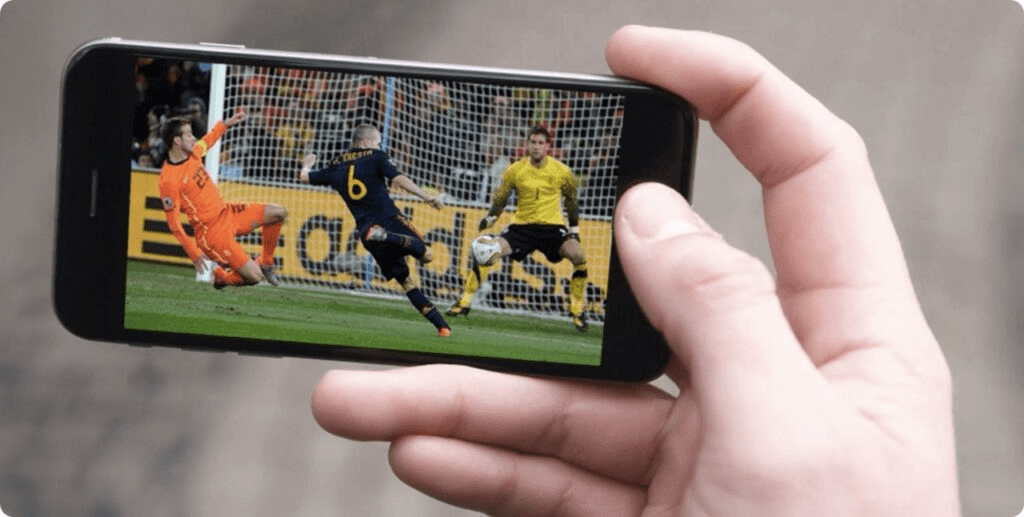
Watching football on your phone without spending money is possible — just not in the way those miracle apps promise. The real way is through broadcast television, official club and competition channels, radio, and live score apps. Combined, they cover far more games than most people imagine.
And when the game you want actually requires a subscription, it's worth remembering that almost all services today accept monthly plans without a commitment: you can subscribe during the championship month and cancel later. It's cheaper — and much safer — than installing an app from an unknown source on the same device where your bank is.