Apps to Get Free Wi-Fi Anywhere
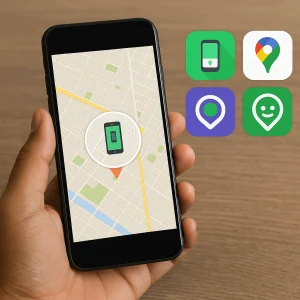
Being connected is essential for almost everything, and there isn't always data to spare. That's where [them/them] come in. Wi-Fi network map applicationsThey show you where there is public Wi-Fi available near you — square, library, airport, café, terminal — with ratings from people who have already been there.
It's important to define the subject before anything else. We're talking about... open networks, which the owner deliberately left without a password, and of passwords that establishments openly disclose For those who arrive. Entering a third party's private network without authorization is unauthorized access to another person's system: in Brazil, it is a crime. Article 154-A of the Penal Code, punishable by 1 to 4 years in prison. No app makes this legal — and those that promise this kind of thing usually only deliver ads and location data collection.
Advantages of Applications
Find an open network near you.
Collaborative maps bring together public locations such as shopping malls, cafes, squares, airports, and libraries. In large cities, coverage usually covers the day's needs. In rural areas, it's more irregular—it depends on how many people have contributed to the database there.
Mobile data savings
Using public Wi-Fi when you're out and about significantly reduces your data plan usage, and the difference is especially noticeable when traveling, where roaming charges are expensive.
Map that works offline
This is the most important feature: with the city's landmarks downloaded beforehand, you can consult the list precisely when you're offline. Travelers should download them before leaving home.
Community evaluation
Comments stating whether the network is fast, down, or requires registration save you the trouble of walking to a point that doesn't work.
Sharing via QR code
Android and iPhone generate a code for the network you're connected to, allowing another person to join without entering a password. This is the correct way to share your own network: the person who decides remains the owner.
An alternative that almost nobody uses.
Before installing anything, check your carrier's app: many plans already include access to thousands of public hotspots, and it's the most stable and secure option of all.
An open network is not secure — and there's a simple solution.
On a network without a password, all connected devices share the same environment, and some of the traffic can be observed by another person there. HTTPS scrambles the content of most websites, but the visited addresses and certain metadata remain exposed. There is also the scam of... fake access pointAnyone can create a network with a name similar to that of the establishment, so the name proves nothing.
- Ask an employee at the location for the exact name of the chain.
- Check the padlock and the website address before typing any password.
- Leave banking, shopping, and registrations for 4G or home.
- Turn off automatic connection to open networks in the settings.
- Use "forget this network" when leaving the location.
- Keep your system updated: many attacks exploit vulnerabilities that have already been patched.
Common questions
With a collaborative map app, you can download the city map beforehand. It's also worth checking if your mobile operator offers public hotspots and looking at the municipal network of squares and terminals.
For browsing and reading, yes. For banking, shopping, and registrations, no. Confirm the exact network name with the information desk before connecting — airports are a favorite location for fake access points.
Collaborative maps offer global coverage, but are best in large cities. Download the map of your destination before you travel. For long trips, a local SIM card or eSIM is usually inexpensive and solves the entire problem.
Yes, you can, and it's your right as the owner. The practical way is to generate the network's QR code in your phone's Wi-Fi settings. What's not okay is publishing the password of a network that isn't yours.
It shouldn't exist and, on current routers, it doesn't work. Attempting this is device intrusion, a crime under article 154-A of the Penal Code.
Final Considerations
Whether it's to save data in everyday life or to avoid being isolated while traveling, a good network map app is truly useful — especially with the map downloaded beforehand and combined with the Wi-Fi your carrier may already offer. In practice, this is usually enough to stay connected all day without using up your data allowance.
Remember these two rules that sum it all up: Connect only to what is public or what the owner has approved. It is Don't do any financial transactions on an open network.. And when you run out of options, remember the most effective and most ignored alternative of all: ask for a number at the counter. It almost always works, and it's free.