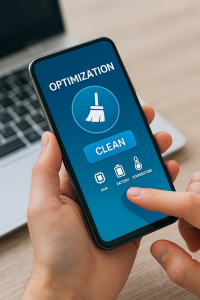
Is your Android phone crying out for help? If you feel like your phone, which used to fly, now feels like a clunker when trying to open WhatsApp or Instagram, this article is for you.
In the previous article, we explained the theory of how "digital clutter" chokes the processor. Now, let's get practical. The mission is clear: restore speed to your device without you having to spend a single penny on technicians or premium licenses. 💸
We tested dozens of options on the Google Play Store and filtered out only the top performers. Below, you'll find the best free, safe, and efficient apps to clean up your Android's memory today.
Why choose free apps? (Are they safe?)
There's a myth that "anything free isn't good." In the world of optimization apps, that's only half true.
There are many bad apps, full of intrusive ads that, instead of cleaning up, slow down your phone. However, large digital security companies offer excellent free (Freemium) versions.
Their strategy is simple:
They offer a high-quality cleaning for free to gain your trust, and who knows, maybe one day you'll decide to subscribe to extra features. But the good news is: For everyday cleaning, the free version is more than sufficient.
Check out our elite selection below.
1. Google Files: The Official and Lightest
If you're afraid to download third-party apps, the Files by Google It's your go-to choice. Developed by the creators of Android themselves, it's extremely lightweight (takes up little space) and has no intrusive ads.
It's not just a cleaner; it's a smart manager. The app analyzes your behavior and suggests exactly what to delete, like old "memes" from family groups that you've already seen a thousand times. 😂
Highlights from Files:
No Ads
Unlike the competition, the interface is clean and you are not interrupted by ads with every click.
Smart Suggestions
It identifies duplicate photos, large downloaded files, and apps you haven't used in months.
Secure Folder
It allows you to password-protect sensitive files, as well as clean the system.
2. CCleaner: The Computer Veteran
You've probably heard of CCleaner for PC. The Android version maintains its reputation as one of the most robust on the market. It's ideal for those who want a deeper, more technical cleanup, but with a user-friendly interface.
CCleaner's greatest strength is its ability to analyze the impact of each application on your system. It shows you which apps are draining your battery, which are using the most mobile data, and which are unnecessarily occupying RAM.
Why download CCleaner?
App Hibernation
A powerful feature that "freezes" background apps, preventing them from consuming resources until you open them again.
Clear Hidden Cache
It can access temporary files from browsers and streaming apps that other cleaners ignore.
System Monitoring
Displays CPU temperature and RAM usage in real time.
3. AVG Cleaner: The Master of Photos
For most users, what fills up their phone's memory are photos and videos. This is where... AVG Cleaner It shines. It possesses one of the best artificial intelligence systems for media management.
Imagine that sequence of 10 photos you took, trying to choose just one good one. AVG analyzes them all, identifies the best one (based on focus, lighting, and smile), and suggests deleting the other 9 that are blurry or duplicates.
Advantages of AVG Cleaner:
Gallery Optimization
It identifies poor quality, blurry, or very dark photos for you to delete in bulk.
Image Compression
It reduces the size of photos without any visible loss of quality, freeing up space without deleting your memories.
Automatic Cleaning
You can configure it to clean periodically without you needing to open the app.
Step-by-Step: How to Download and Install Safely
Now that you've chosen your favorite, it's crucial to download it correctly to avoid viruses. Follow this quick guide:
1. Use only the Google Play Store: Never download ".apk" files from unknown websites or WhatsApp links. The official Google Play Store verifies the security of the files.
2. Check the Developer: When searching for an app name, look below the title to see who created it. (Ex: “Google LLC” for Files, “Piriform” for CCleaner, “AVG Mobile” for AVG).
3. Pay attention to permissions: When you open the app for the first time, it will ask for permission to access your files. This is necessary for cleaning. However, if a cleaning app asks for access to your "Location" or "Contacts," be suspicious and do not accept.
Frequently Asked Questions about Installation
Are you still hesitant to install new programs? Let's fix that now.
We don't recommend it. Having two apps performing the same function can cause conflicts, drain the battery faster, and take up unnecessary storage space. Choose the one that best suits your needs and keep only that one.
Yes, all of the ones listed above have functional free 100% versions. They may offer "Pro" plans within the app, but you are not required to pay to use the essential cleaning tools.
If cleaning doesn't solve the problem, it might not be storage. It could be an outdated system or very old hardware. In these cases, restoring the phone to "Factory Settings" (back up your data first!) is the last recommended solution.
Yes, it's safe and recommended. Hibernating only prevents the app from running in secret. When you click the WhatsApp or Facebook icon again, they will open and update messages normally.
Conclusion: Which one to download now?
The choice depends on your profile:
If you want simplicity and zero ads: Go with Files by Google.
If you want full control and system tools: Choose the CCleaner.
If your photo gallery is a mess: The AVG Cleaner He is your best friend.
Don't put it off. Choose one, download it, and feel the difference in your Android's speed in just a few minutes. Your future self (and your patience) will thank you! 🚀